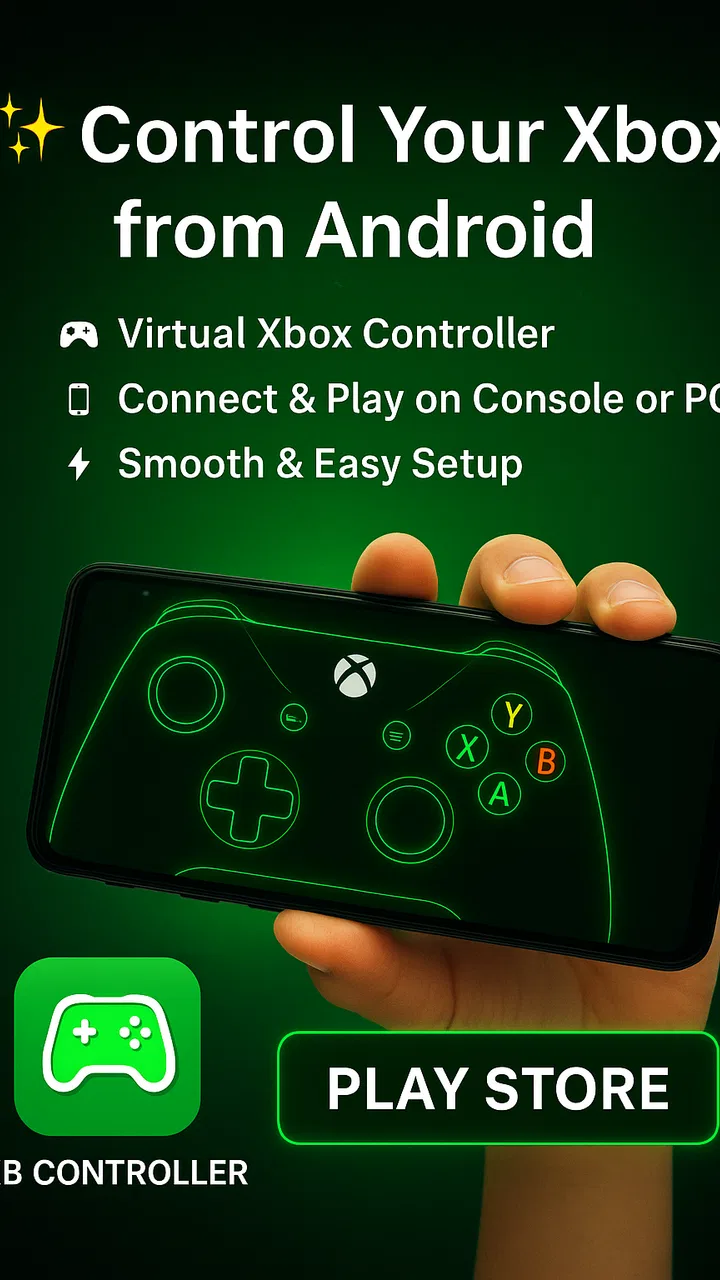
XB CONTROLLER
- 3.6
- Rating
- 50.00K
- Installs
- Free
- Price

 Analysis by App-foxy
I approached XB CONTROLLER as a practical companion for Android gaming rather than as a game in its own right. Developed by SweatersApp, it belongs to the Libraries & Demo section and is designed around the idea of using a wireless controller while playing. That makes its value very dependent on your phone, your controller, and the games you choose, but it also gives the app a clear purpose: reducing the awkwardness of touch controls when physical buttons would feel better.
My overall impression is mixed but useful. The app is free, rated for Everyone, and has reached over ten thousand installs, so it is easy to try without committing money. Its average rating is 3.8 from a little over two hundred ratings, which feels consistent with an app that can be helpful in the right setup but may not behave identically across every device and game. I would recommend testing it with one familiar title before building your whole mobile gaming routine around it.
How XB CONTROLLER feels to use in different situations
When I compare XB CONTROLLER across everyday situations, I focus less on the promise of wireless play and more on whether it removes a real obstacle: reaching across a screen, covering the action with my thumbs, or holding the phone for a long session. The answer can change from one game and setup to another, so I find it useful to think through the next practical question: what does the controller connection actually change once play begins?
You May Also Like

 Blood Strike: 2.5 Anniversary
Blood Strike’s Loadouts Turn Every Drop Into a Tactical Gamble
A close look at Blood Strike’s custom loadouts: how fast access to signature weapons reshapes its battle royale rhythm, rewards preparation, and narrows the gap between fights.

 Pandora - Music & Podcasts
Pandora’s Music Is Easy to Start, but Harder to Recover
Pandora’s strength is its low-effort path from a seed to a station. Its weak spot is how much confidence it asks you to place in connection, setup, and quiet recovery.

 8 Ball Pool
 Is Built on Rivalries, Rematches, and Routine
A close look at the rivalries, rematches, shared routines, and unanswered safety questions that turn a quick pool match into a persistent mobile community.

 Samsung Music
’s Quiet Strength Is Playing What You Already Own
Its reach comes less from spectacle than from dependable access to a personal library. That simplicity is both the app’s strongest retention engine and its ceiling.

 AccuWeather: Weather Radar
AccuWeather Review: A Quick, Clear Forecast for Everyday Decisions
For everyday plans, the best forecast is the one you can understand quickly. AccuWeather makes rain timing, radar, and local conditions easy to act on, with a few trade-offs.

 Hill Climb Racing
Why Hill Climb Racing Still Turns Crashes Into One More Run
A tiny car, a bumpy hill and one more upgrade: Hill Climb Racing keeps resurfacing because its simple chaos makes every near-miss feel personal.
More From Our News Desk
View All News


Readability and navigation come first
The first thing I look for in a controller utility is whether I can understand what to do without repeatedly guessing. XB CONTROLLER presents a focused idea rather than trying to be a full gaming hub. That narrow purpose is helpful: you are not dealing with a large library, social feed, or a maze of unrelated settings before getting to the controller task.
For someone who is comfortable pairing wireless accessories, the basic workflow should feel familiar: open the app, prepare the controller, connect it through the phone’s normal wireless process, and then test it inside a game. The important practical detail is to treat the app as part of a chain rather than as a magic replacement for system settings. If the phone has not recognized the controller properly, changing screens inside the app is unlikely to solve the underlying connection problem.
I also found that readability matters more when the app is being used beside a game rather than studied at a desk. A player may be switching between the controller, the phone, and a game screen, sometimes with limited time to react. Clear labels and a straightforward sequence are more valuable here than decorative graphics. If you are helping a family member set it up, I would do the first connection with them and write down the successful order of steps. That small preparation can make later sessions much less frustrating.
The app is compatible with devices running Android 6.0 or later, which gives it a broad technical starting point. That does not mean every older phone will offer the same wireless experience, however. Screen size, Android interface differences, background restrictions, and the controller itself can all affect how comfortable the setup feels. I would avoid judging the app solely from the first screen; the real test is whether you can connect, launch a supported game, and keep the controls stable during play.
One useful habit is to check the connection before starting a long session. Press a few buttons while still in a safe menu or practice area, then confirm that the game responds as expected. This catches the most annoying kind of failure: a controller that appears connected but has not actually become the active input method. It also lets you discover whether a game interprets buttons differently from what you expected.
Motor and sensory considerations
A physical controller can be a meaningful improvement for players who find repeated tapping, swiping, or holding a phone uncomfortable. It may reduce the need to cover part of the display with virtual buttons and can make directional movement easier to feel through the hands. In my view, that is the strongest reason to try XB CONTROLLER: it can move some interaction away from a crowded touchscreen and onto familiar physical controls.
That benefit is not universal. A controller still requires reaching, pressing, gripping, and coordinating several inputs. Someone with limited hand strength, tremors, reduced range of motion, or pain triggered by sustained gripping may find that a physical accessory creates a different problem instead of removing one. The app itself cannot change the shape, resistance, spacing, or weight of the controller. Those factors come from the hardware and should be considered before assuming that wireless input automatically means easier input.
For players sensitive to visual clutter, a controller may make the game screen calmer because fewer touch overlays are competing with the action. That can help when a game’s on-screen controls obscure small objects or text. On the other hand, moving controls off the display can make it harder to see which button performs an action, especially when a game uses unusual mappings. I recommend keeping a simple reference nearby during the first few sessions rather than trying to memorize everything at once.
Audio and vibration are also worth considering as part of the wider setup, although XB CONTROLLER should not be treated as a substitute for game-specific accessibility options. If you rely on visual prompts, audio cues, or vibration feedback, check how the individual game handles them after the controller is connected. The app’s role is input-related; the game remains responsible for the way it communicates objectives, warnings, timing, and errors.
A practical adjustment is to begin with games that allow slower pacing, pauses, or forgiving practice. This gives you time to identify which buttons are comfortable and whether you are accidentally pressing neighboring controls. Fast competitive play is a poor first test because a small connection or mapping issue can look like a skill problem. Starting in a calm environment makes it easier to separate the controller’s behavior from the game’s difficulty.
Situational access beyond the ideal setup
The most convincing use case for me is a player who enjoys mobile games but dislikes touchscreen controls for longer sessions. Imagine playing on a phone propped on a stand during a commute break or at home while the device remains on a table. With a wireless controller, the player can keep the display unobstructed and hold the input device separately. That arrangement may be more comfortable than gripping the phone and reaching across the screen at the same time.
It can also help when the phone is connected to a larger display or positioned farther away. In that situation, touch controls become inconvenient because the player must keep reaching toward the screen. A controller-based setup creates a more natural distance between viewing and input. Whether it works well depends on the game and the controller, but XB CONTROLLER is more relevant in this kind of arrangement than a simple touch-control overlay.
Another overlooked scenario is shared troubleshooting. If a child, older relative, or less technical player wants to use a controller, the app can serve as a focused starting point instead of asking them to understand several unrelated gaming tools. I would still keep the instructions concrete: turn on the controller, connect it, open the game, and test one action. Avoid changing multiple settings at once, because that makes it difficult to know what fixed or caused a problem.
For travel, the wireless approach is convenient because it avoids an extra cable between the controller and phone. Yet wireless convenience comes with its own routine. The controller needs to be charged or powered, the phone must recognize it, and another nearby device may already be competing for the connection. I would pair and test everything before leaving rather than assuming the setup will work immediately in a new place.
The app may also suit people who want to experiment without paying first. Because it is free, the sensible approach is low-risk testing: use the controller you already own, try one or two games you play regularly, and decide from that experience. I would not buy new hardware solely because the app sounds promising. The controller’s compatibility and comfort are just as important as the app’s presence on the phone.
Where it compares with usual alternatives
The usual alternative is simply using the game’s touch controls. That option wins on convenience because there is no separate device to pair, carry, charge, or hold. For short puzzle sessions, menus, turn-based games, and titles designed carefully around touch, XB CONTROLLER may add unnecessary preparation. If you mostly play those types of games, staying with touch input is probably the smoother choice.
A physical controller becomes more attractive for action games, platforming, racing, and any title where a thumb covering the screen gets in the way. It can offer more consistent tactile input and leave the full display visible. Still, the improvement is not automatic. A game may support only certain controller layouts, ignore some buttons, or feel awkward when translated from touch to physical input. I would judge the combination of app, controller, and game rather than assuming one successful test applies everywhere.
Compared with more elaborate controller-mapping tools, XB CONTROLLER’s appeal is its narrower learning curve. A highly configurable mapper can be better for unusual games or custom layouts, but it may also require more setup and more troubleshooting. This app makes more sense for someone who wants a direct wireless-controller experience and does not need a large collection of advanced remapping controls.
Compared with a wired connection, wireless use gives more freedom to position the phone and controller separately. A wired option can feel more predictable in some setups because it avoids wireless pairing steps, but it may be less comfortable and less convenient to carry. The right choice depends on whether your priority is freedom of movement or the simplest possible connection path.
Remaining barriers and points of friction
The biggest limitation is that the app cannot guarantee a uniform experience across Android phones, controllers, and games. The version available is 9.0, but a version number alone does not remove compatibility questions. A controller can connect to the phone while a particular game still fails to recognize it correctly. That is why I consider game-by-game testing essential rather than optional.
There is also a difference between connection and accessibility. Connecting a controller may solve one motor or visual problem while leaving other barriers untouched. Small game text, rapid timing, complex menus, bright effects, and unclear button prompts can still make a title difficult. Players who need adjustable controls, one-handed layouts, switch access, or detailed visual settings should check the game and hardware together instead of expecting XB CONTROLLER to provide those accommodations.
Another friction point is troubleshooting when something stops working after changing games or reconnecting the controller. The practical sequence I use is simple: close the game, check whether the phone still sees the controller, reconnect if needed, and reopen the game. If the issue appears only in one title, I treat that as a compatibility or mapping problem rather than repeatedly reinstalling the app. This saves time and prevents unnecessary changes to a setup that worked elsewhere.
Players who are easily overwhelmed by multi-step technology may need assistance the first time. The app’s focused purpose helps, but wireless accessories still involve pairing states and device menus. I would not describe it as completely hands-off. For an independent user, that may be a minor inconvenience; for someone relying on another person to prepare the setup, it can determine whether the app is genuinely useful.
The age rating of Everyone makes it suitable to consider for a broad audience, but that rating should not be confused with a promise that every game used with it will suit every player. Game content, pace, controls, and sensory demands vary widely. Parents and caregivers should evaluate the chosen games separately and help with the initial controller routine if needed.
Who should try it, and who should skip it
I think XB CONTROLLER is worth trying if you already have a compatible wireless controller, play games that feel cramped on a touchscreen, and are comfortable doing a short setup check before each new title. It is especially appealing for players who want the phone screen left clear, prefer tactile buttons, or play from a little distance rather than holding the device in both hands.
I would be more cautious if your main goal is advanced accessibility customization. The app may be a useful part of your setup, but it should not be mistaken for a complete access solution. If you need extensive remapping, specialized input hardware, one-handed operation, or carefully adjustable feedback, a dedicated accessibility-focused tool or controller may be a better starting point.
I would also skip it if you mostly play touch-first games and dislike carrying extra equipment. In that case, the controller may introduce more steps than it removes. The free price makes experimentation easy, but free does not mean frictionless; your time spent pairing, testing, and learning a game’s layout is still part of the cost.
My inclusive verdict
After looking at it through the lens of different abilities and contexts, I see XB CONTROLLER as a practical bridge between a phone and a physical input device, not as a universal accessibility answer. Its strongest contribution is straightforward: it can make wireless controller play more approachable for Android users who find touch input tiring, crowded, or imprecise.
The app’s broad device starting point, free access, and focused purpose make it easy to test. SweatersApp has kept the concept understandable enough for a user who wants to get from phone to controller without adopting a large gaming toolkit. The reception—an average of 3.8 from roughly two hundred ratings—suggests a useful but not flawless experience, and that matches my recommendation to test your own hardware and favorite game before relying on it.
My advice is to treat the first session as a compatibility and comfort check. Pair the controller, confirm the phone recognizes it, test several buttons in a low-pressure game area, and notice whether the physical grip actually helps your hands and attention. If it does, XB CONTROLLER can be a sensible addition to your mobile setup. If the controller creates pain, the game ignores inputs, or the setup becomes harder than touch controls, choosing a different input method is the more inclusive decision.
FAQs for XB CONTROLLER
01What is XB CONTROLLER and how does it work?
XB CONTROLLER is an app designed to transform your smartphone into a fully functional game controller for your Xbox console. It connects via Bluetooth or Wi-Fi, providing a seamless gaming experience. The app offers customizable button layouts, vibration feedback, and compatibility with a wide range of games, enhancing your gameplay sessions.
02Is XB CONTROLLER compatible with all Xbox models?
XB CONTROLLER is compatible with most Xbox models, including Xbox One and Xbox Series X/S. However, it is essential to ensure your console's firmware is up-to-date. Compatibility may vary with older models, so checking the app's specifications and your console's settings before downloading is advisable.
03Does XB CONTROLLER support multiplayer gaming?
Yes, XB CONTROLLER supports multiplayer gaming. You can connect multiple devices, allowing friends to join the game using their smartphones as controllers. This feature is great for group gaming sessions and ensures everyone can participate without needing extra traditional controllers.
04Are there any in-app purchases or subscriptions in XB CONTROLLER?
While XB CONTROLLER is free to download, it does offer in-app purchases. These may include additional customization options, themes, or premium features that enhance the app's capabilities. Subscriptions might also be available for ad-free experiences or early access to new updates and features.
05How do I troubleshoot connection issues with XB CONTROLLER?
If you experience connection issues, ensure your phone's Bluetooth or Wi-Fi is enabled and functioning correctly. Restarting both your device and Xbox console can help. Additionally, keeping the app and console software updated is crucial. For persistent issues, consulting the app's support section or user forums may provide solutions.
Pros
- Seamless connectivity with devices.
- Customizable button mapping options.
- Responsive and intuitive interface.
- Supports multiple platforms effortlessly.
- Lightweight and portable design.
Cons
- Limited battery life under heavy use.
- Requires regular firmware updates.
- Some features are locked behind paywalls.
- Occasional connectivity drops reported.
- Lacks haptic feedback support.

XB CONTROLLER
Gallery